



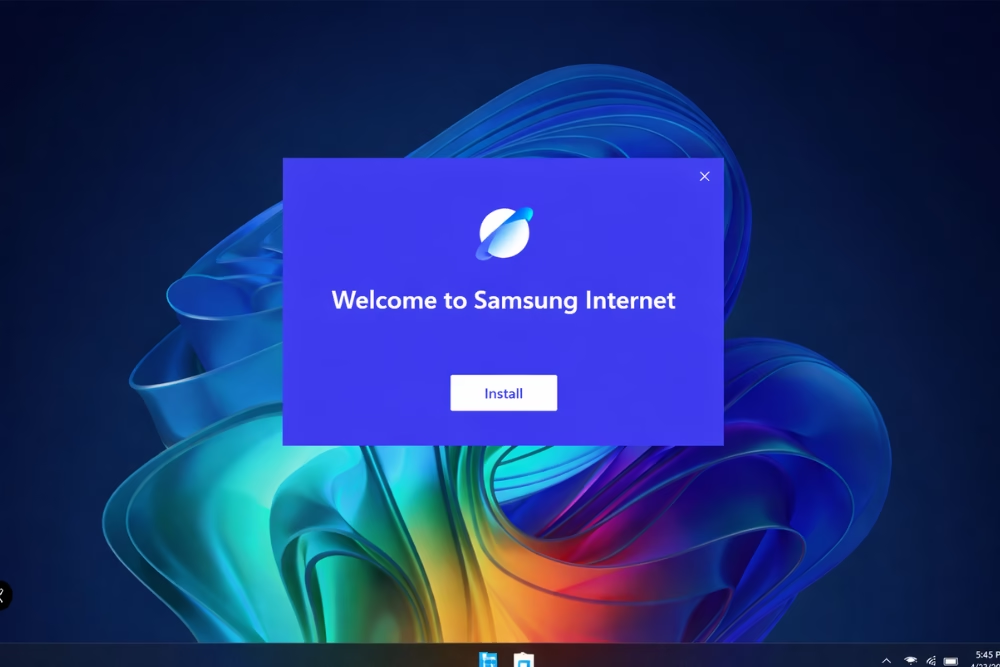
In an exciting development, Samsung has officially launched its Internet Browser for Microsoft Windows, bringing its browser experience beyond mobile devices. For years, the Samsung Internet Browser has been a favorite on Android devices, owing to its reliability, speed, and security features. Now, with the new launch, Windows users can reap these benefits on their desktops and laptops.
This move highlights Samsung’s push to offer a more seamless experience across devices. With this launch, Samsung is clearly aiming to strengthen its presence beyond Android and compete more directly in the desktop browser space. By introducing its browser to the Windows platform, Samsung is not only expanding its reach but also increasing the competitive dynamics in the browser market.
Samsung’s Windows Browser Launch
The Samsung Internet Browser’s arrival on Windows marks a notable move as Samsung brings its browser beyond mobile devices. By tapping into a market dominated by established players such as Chrome, Edge, and Firefox, Samsung shows its intent to compete more seriously in the desktop browser space. The browser’s release is poised to offer a fresh alternative for users seeking enhanced privacy controls and seamless integration with Samsung’s ecosystem.
The introduction comes at a time when consumers are increasingly demanding better performance, security, and cross-device compatibility from their digital tools. Given Samsung’s strong presence in consumer tech, its Internet Browser on Windows could unlock new potential for developers and users alike. Rather than just entering the market, Samsung seems focused on delivering a smoother and more optimized browsing experience for desktop users with new features and optimizations specifically tailored for a desktop experience.
Key Features of Samsung Internet Browser
The key features of Samsung Internet Browser help it stand out in a highly competitive browser market. It includes a range of features designed to improve everyday browsing while ensuring security and ease of use. These features cater to both casual users and those who need more advanced control.
- Privacy Controls: Built-in tracking blockers and secure browsing options help protect user data and give you the power to keep your browsing habits confidential.
- Sync Across Devices: You can easily sync data like bookmarks and history across multiple devices, thanks to Samsung Cloud integration.
- Optimized Performance: Enhanced speed optimizations ensure smooth navigation, even on resource-intensive websites.
- Extension Support: Users can add extensions to customize functionality based on their needs to tailor the browser to your exact needs.
Regular updates also ensure the browser stays secure and compatible with modern web standards, ensuring it remains secure and up-to-date with the latest web standards.
Motivation Behind Expanding to Windows
Samsung’s decision to introduce its Internet Browser to the Windows platform is driven by a mix of user demand and the company’s broader platform strategy. This move also reflects Samsung’s larger ambitions in the digital ecosystem.
At its core, the goal is to create a more seamless experience across devices. Many users possess a range of Samsung products, from smartphones and tablets to smart TVs and now, through the Windows browser, PCs. By broadening the accessibility of its Internet Browser, Samsung aligns with its multi-device integration strategy and strengthens its ecosystem.
It also positions Samsung more directly against established browsers. Established browsers are continually evolving, and by widening its reach, Samsung aims to capture a dedicated user base seeking alternatives that prioritize privacy and integration. Expanding to Windows also allows Samsung to better understand user behavior and improve future browser features, enhance user experience, and gather insights that could influence future product developments.
How It Stacks Up Against Other Browsers
Samsung Internet Browser enters a market already dominated by major players, Samsung’s Internet Browser on Windows is entering a competitive arena. So how does it compare with popular browsers like Chrome, Edge, and Firefox? like Google Chrome, Mozilla Firefox, or Microsoft Edge.
Firstly, Chrome reigns supreme with its integration with Google services and a comprehensive library of extensions. However, Samsung Internet Browser offers a compelling alternative with its focus on user privacy and customizable features. Unlike Chrome, Samsung emphasizes blocking unwanted ads and trackers, giving users more control over their browsing experience.
When compared to Edge, Samsung’s browser gives you an intuitive design along with the perks of integration with Samsung devices, such as secure file transfers via the Quick Share functionality. Meanwhile, Firefox is praised for its privacy measures, similar efforts are mirrored in Samsung’s offering. If user security is crucial to you, Samsung stands out by incorporating robust protective features often found in more niche browsing solutions.
Why Users Will Like It on Windows
Bringing Samsung Internet from mobile to desktop adds new flexibility for Windows users. Samsung’s Internet Browser offers several advantages that may appeal to users looking for an alternative browser.
For users already within the Samsung ecosystem, the browser extends that synergy, allowing seamless interaction between your devices. The synchronization capabilities make tasks like managing bookmarks, tabs, and browsing data effortless, ensuring continuity across desktops and mobile devices.
The browser also includes advanced customization options that allow you to personalize your browsing experience. Whether you prefer a minimalist interface or require multiple extensions for productivity, Samsung offers tools to suit your specific needs. The browser’s inclination toward privacy is also a major highlight, offering users greater control over their data—a growing requirement in today’s digital age.
Installation Process and Requirements
Installing Samsung Internet on Windows is simple and only takes a few steps. Here’s how to install and set it up.
Begin by visiting the Samsung official website or the Microsoft Store, where the browser is available for free download. Ensure your Windows system meets the basic requirements, such as running Windows 10 or above with an adequate amount of available storage and memory.
- Access the Download: Navigate to the Samsung Browser page on the Microsoft Store.
- Download and Installation: Click ‘Install’ to begin the download. The installation runs automatically.
- Initial Setup: Once installed, open the browser and follow the on-screen setup to configure basic settings.
- Sign-In Option: For additional features, sign in using your Samsung or Google account to sync data and personalize settings.
If you encounter issues, Support resources are available if you run into any installation issues to assist in troubleshooting any installation problems you might face.
The Future of Samsung’s Multi-Platform Strategy
The launch of Samsung’s Internet Browser on Windows is a pivotal moment reinforcing the company’s multi-platform strategy. It highlights Samsung’s focus on creating a more connected experience across devices. Samsung is likely to expand these efforts further, further enhancing compatibility and inter-connectivity between its suite of devices and software offerings.
The introduction of the browser on the Windows platform is merely a starting point for Samsung. Advancement in features like AI-driven browsing assistance and integration with emerging Internet of Things (IoT) devices point to a cohesive future. Samsung is poised to leverage its browser as a foundational component of an expansive, interconnected user environment, offering improved convenience and functionality for users.
As technology continues to progress, Samsung’s strategic initiatives may broaden to include collaboration with other software developers, pushing the boundaries of what users can achieve across diverse digital interfaces. Staying attuned to user needs and technology trends, Samsung aims to cement its role not just as a device manufacturer, but as an enabler of a digital lifestyle that transcends hardware boundaries.
In conclusion, the Samsung Internet Browser’s launch on Windows signifies a bold move in expanding the company’s browser ecosystem. By addressing key user needs such as privacy, synchronization, and integration, Samsung provides an attractive alternative to mainstream browsers. As you explore this new tool, you’re participating in the broader evolution of digital interaction, where consumer software aligns more closely with rapidly evolving user expectations. With continued innovation and refinement, Samsung’s multi-platform strategy promises to deliver unique experiences that can redefine your digital interactions.
