



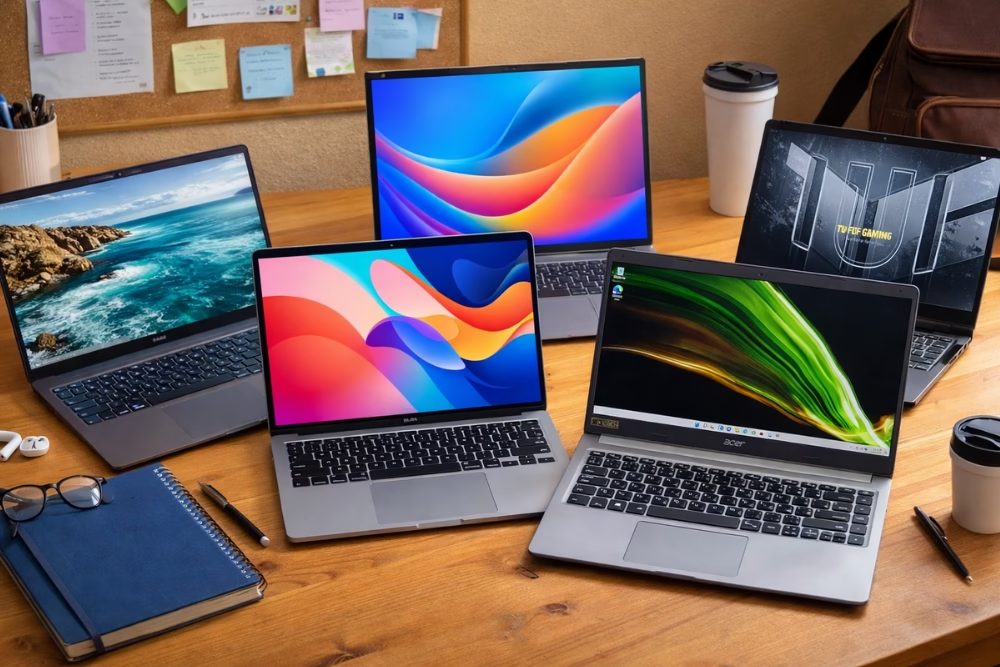
Choosing the right laptop can be challenging for college and university students looking for reliable and budget-friendly options. Students need a laptop that supports their academic work without exceeding their budget. Students often need devices equipped with capabilities for multitasking, storage, and running essential software for various subjects. The article delves into the top considerations students should account for when selecting a laptop, explores the best budget-friendly options available, and offers practical tips for maintaining and maximizing the longevity of these essential academic tools.
Understanding the Needs of College and University Students
College and university students have varied requirements for their laptops, influenced by their courses, personal habits, and extracurricular activities. These needs vary, from arts students who need good graphics to science students who require powerful processors for software like MATLAB or AutoCAD. Moreover, portability and battery life are crucial for students who spend long hours on campus between lectures and at the library.
Connectivity has also become an important factor in digital learning. With an increased reliance on online platforms for assignments, video conferencing, and research, students need reliable internet access and compatibility with various educational technologies. Some schools offer specific software or hardware requirements that students must meet. Alongside academic needs, students also desire laptops that cater to entertainment, including video streaming and light gaming, ensuring a well-rounded device for both work and leisure.
Key Features to Look for in a Student Laptop
Choosing the right laptop involves more than just looking at the price. Students should examine a range of features that will directly impact their educational experience. The following list captures some crucial attributes to consider:
- Processor and RAM: A laptop’s processor and RAM determine its performance, particularly how efficiently it can handle multiple tasks. An Intel Core i5 or AMD Ryzen 5 with at least 8GB of RAM is often recommended for general use.
- Battery Life: Long-lasting battery life minimizes the need for constant charging, making it ideal for students who move between classes and study spots.
- Storage: Solid State Drives (SSD) offer faster access to data and applications compared to traditional Hard Disk Drives (HDD). A minimum of 256GB SSD is advisable.
- Display Quality: A high-resolution display can reduce eye strain during extended use and enhance the viewing experience for both academic and leisure activities.
- Weight and Portability: Lightweight designs are beneficial for easy transport across campus.
Along with technical features, students should also consider design and build quality so the laptop lasts through daily use. Brand reputation and customer support also play a role.
Top 5 Budget-Friendly Laptops for Students
Finding budget-friendly laptops with good performance can be difficult, but there are several strong options available. Here are five top choices that balance cost and capabilities:
- Acer Aspire 5
The Acer Aspire 5 is a robust all-around performer for students needing a reliable and reasonably priced laptop. It comes with an AMD Ryzen 5 processor, 8GB of RAM, and a 256GB SSD, which supports fast boot times and smooth multitasking. Its 15.6-inch full HD display enhances both work and play, while a strong battery life supports a student’s daily routine. - Lenovo IdeaPad 3
Known for its balance of performance and affordability, the Lenovo IdeaPad 3 is equipped with an Intel Core i3 processor, 8GB RAM, and a 256GB SSD. The lightweight design and excellent keyboard ergonomics make it a perfect companion for those long note-taking sessions. - HP Pavilion x360
The HP Pavilion x360 is a versatile option that suits students looking for a convertible laptop. With an Intel Core i5 processor, 8GB RAM, and a 512GB SSD, it offers solid performance. The 2-in-1 functionality allows users to easily switch between tablet and laptop modes, adding to its portability. - Dell Inspiron 15 3000
This model delivers solid performance with an Intel Core i5, 8GB of RAM, and a 1TB HDD, which offers plenty of storage but slower speeds compared to SSD models. Its sturdy build and large display make it a reliable choice for students across various fields. - ASUS VivoBook 15
The ASUS VivoBook 15 offers an elegant design and practical performance highlighted by an AMD Ryzen 3 processor, 8GB RAM, and a 128GB SSD.
Tips to Maintain and Upgrade a Student Laptop
Keeping a laptop running well requires regular maintenance and occasional upgrades. Here are some practical tips:
- Regular Software Updates: Keeping the operating system and applications up-to-date patches security vulnerabilities and improves overall performance.
- Routine Cleaning: Dust and debris can accumulate in vents and keyboard crevices. Regular cleaning prevents overheating.
- Use of Antivirus Software: Install reliable antivirus software to protect against malware and other cyber threats.
- Battery Care: Managing battery health by avoiding extreme temperatures and only using the official charger extends the battery’s life.
- Consider Hardware Upgrades: When possible, upgrading RAM or switching to an SSD can drastically improve speed and performance.
Following these tips helps keep the laptop in good condition and prevents common performance problems.
Student Discounts and Best Laptop Deals
Students can find many discounts and deals through different programs and retailers. Many manufacturers offer educational discounts for students and educators.
Retailers often provide seasonal sales and back-to-school promotions, which can be ideal times for students to make their purchases. Students should also explore online marketplaces, where refurbished devices can be an economical option with warranties. Students should also check that the laptop meets their school’s software and system requirements.
Additionally, some banks and financial institutions offer financing options exclusively for students, allowing them to manage purchase costs over time with lower interest rates. Utilizing student discounts and financial options can make a significant difference in reducing the financial burden of acquiring a new laptop.
Final Thoughts on Selecting the Ideal Laptop
Choosing the right laptop is an important decision that can affect a student’s overall learning experience. Considering the diverse needs and budget constraints faced by students, doing thorough research and taking advantage of available discounts are essential steps. By focusing on the key features that directly enhance both learning and convenience, students can ensure they choose a device that not only supports their academic endeavors but also enriches their daily lives.
The best laptop for a student is one that balances performance, durability, and affordability. By prioritizing these elements, students can build a reliable digital foundation for their academic careers and beyond.
The guide above provides a structured approach for students to identify a laptop that not only suits their academic and personal needs but also supports their dynamic and often rigorous lifestyle. Armed with this knowledge, students can confidently invest in a laptop that serves them well throughout their educational journey and into their professional careers.
